

Actions marked admin-only are hidden or disabled for members.
Organization
The Organization screen manages your org’s identity and lifecycle.- Identity hero — the org logo (upload / remove, admin-only), an inline name edit (admin-only), and a copyable tenant ID, along with the slug, member count, and created date.
- Manage members — a button through to the Members screen.
- Your membership — your role, join date, and permissions, plus Leave organization.
- Danger zone — Delete organization.
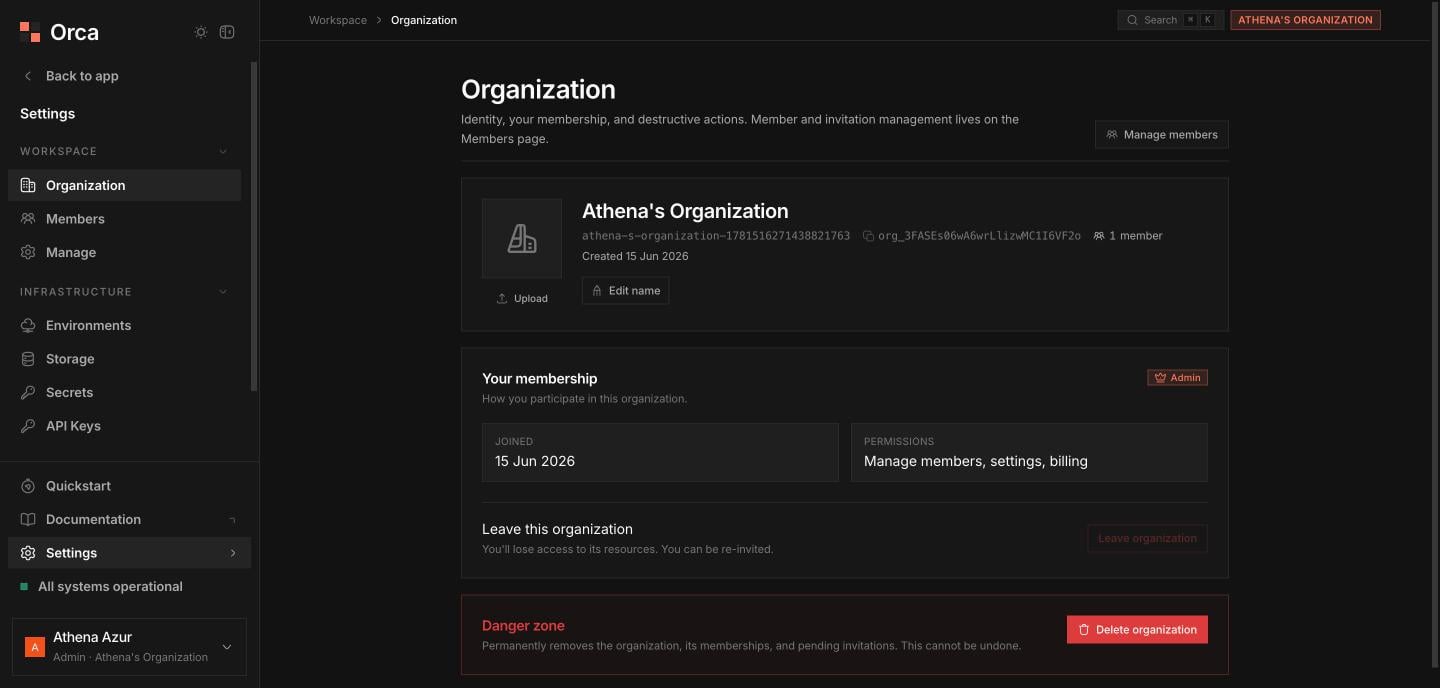
Organization settings — identity, tenant ID, your membership, and destructive actions.
Members
Manage who belongs to the org and invite new teammates.- Stat tiles — total members and your role.
- Search — filter the members list.
- Active-members table — avatar, role pill, joined date, and remove member (admin-only; you can’t remove yourself).
- Invite teammate — a dialog taking an email and a role of admin or member (admin-only).
- Pending invitations — a table of outstanding invites with revoke (admin-only).
Account
Reach your personal Account settings from the user chip at the bottom of the sidebar.- Name and email.
- Delete account danger zone — type-email-to-confirm, with a warning if you’re the sole admin of any organization.
Related
Access control
Roles, permissions, and admin gating.
API Keys
Keys inherit their creator’s role.