> ## Documentation Index
> Fetch the complete documentation index at: https://docs.orcapods.ai/llms.txt
> Use this file to discover all available pages before exploring further.
# Storage
> The shared S3-compatible artefact bucket where agents publish outputs.
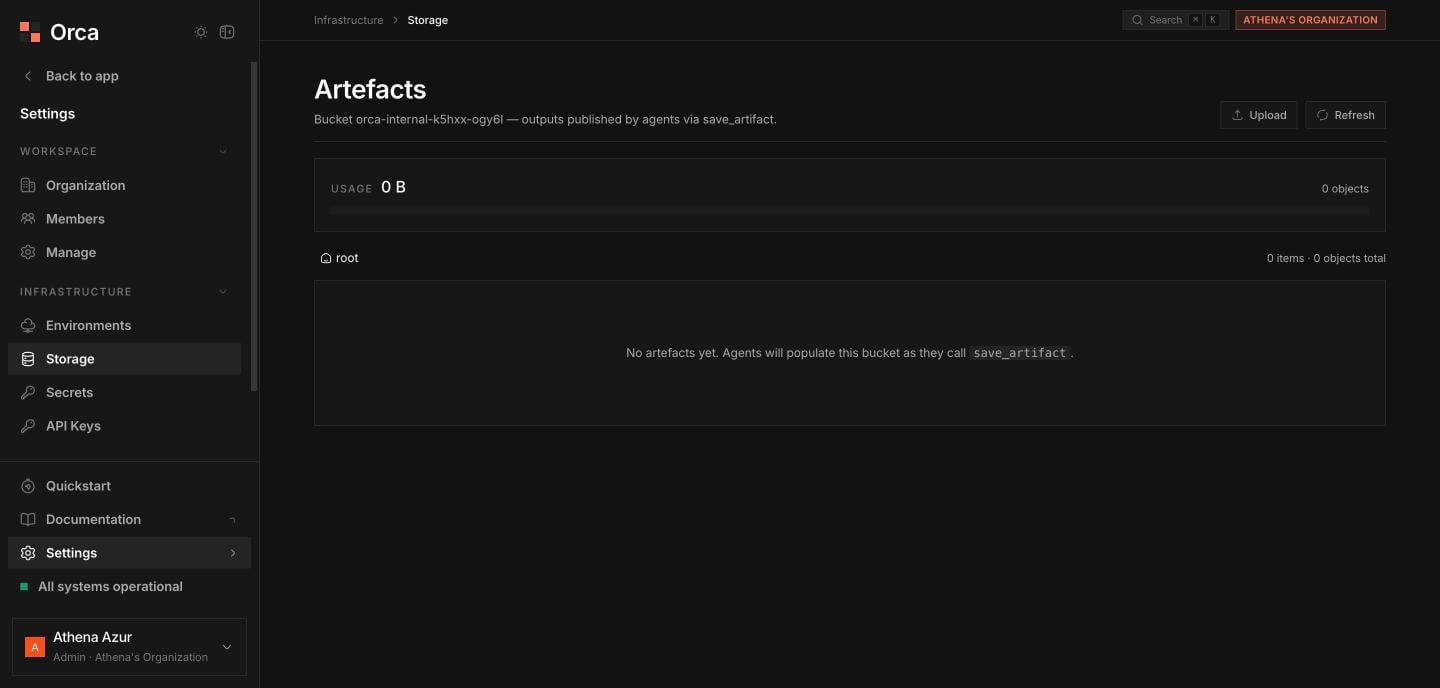
The **Storage** screen browses the shared **S3-compatible artefact bucket** — the object store where agents publish outputs, typically via a `save_artifact` tool. For the broader model, see [Storage](/concepts/storage). To browse everything agents can read and write as one tree, use [Files](/dashboard/files).
If object storage isn't wired up (common on self-host), the screen shows a **"not configured"** state with setup instructions instead of the browser.
## Usage card
A **usage card** shows **used space** and **capacity %**, with a **stacked breakdown by prefix** so you can see which agents or folders dominate the bucket.
 ## Browsing
Move through the bucket with the **breadcrumb** trail. The **sortable table** lists **name**, **size**, and **modified**, with **folders first**. Use **Upload** to add objects and **Refresh** to re-read the current folder.
## Deleting
Delete a **file** or a **folder** from its row. Deleting a folder shows a **warning about the number of objects** it contains before you confirm.
## Previewing objects
Click an object to open the **preview sheet**, which renders **text**, shows **images inline**, and displays **binary** content as base64.
## Related
Buckets, drivers, and artefacts.
The unified virtual filesystem tree.
## Browsing
Move through the bucket with the **breadcrumb** trail. The **sortable table** lists **name**, **size**, and **modified**, with **folders first**. Use **Upload** to add objects and **Refresh** to re-read the current folder.
## Deleting
Delete a **file** or a **folder** from its row. Deleting a folder shows a **warning about the number of objects** it contains before you confirm.
## Previewing objects
Click an object to open the **preview sheet**, which renders **text**, shows **images inline**, and displays **binary** content as base64.
## Related
Buckets, drivers, and artefacts.
The unified virtual filesystem tree.